Drills · Jam · Tabs · Theory · Tools
Stop splitting
guitar practice
across five apps.
Built for intermediate-to-advanced guitarists and bassists. OmniFret brings Drills, Jam, Theory, Tools, and your own Tabs into one local-first practice suite — every feature runs without a network; cloud sync is opt-in. Localized in nine languages, with letter (A B C), Solfège (Do Re Mi), and German (H ← B, B ← A♯/B♭) note-naming.
- 9
- drill modes
- 50+
- Jam progressions
- .GP
- player
- reader
- 0
- ads or trackers
- 9
- languages
Free core · $24.99 lifetime PRO · No OmniFret account · Local-first
The same fretboard across every mode.
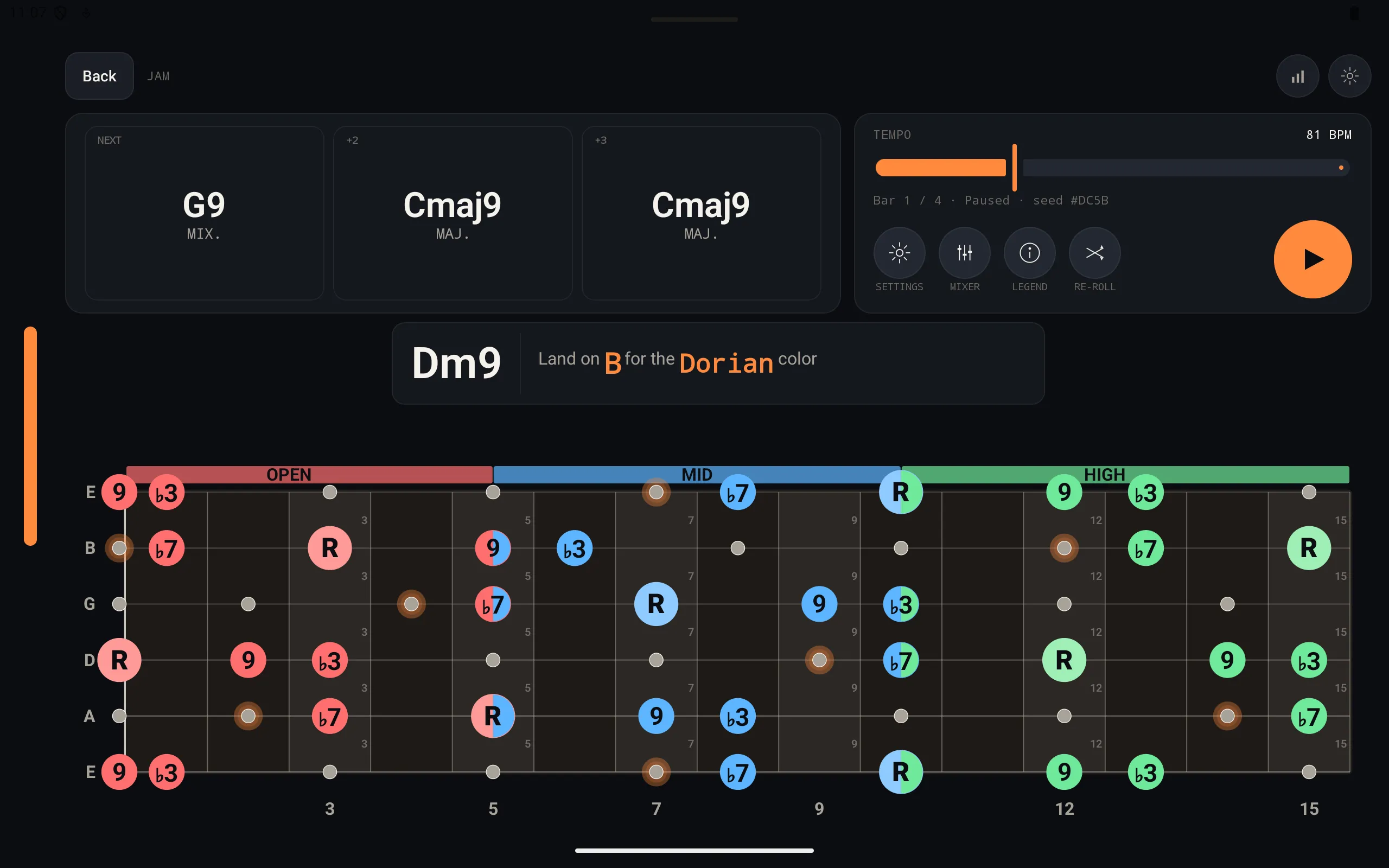
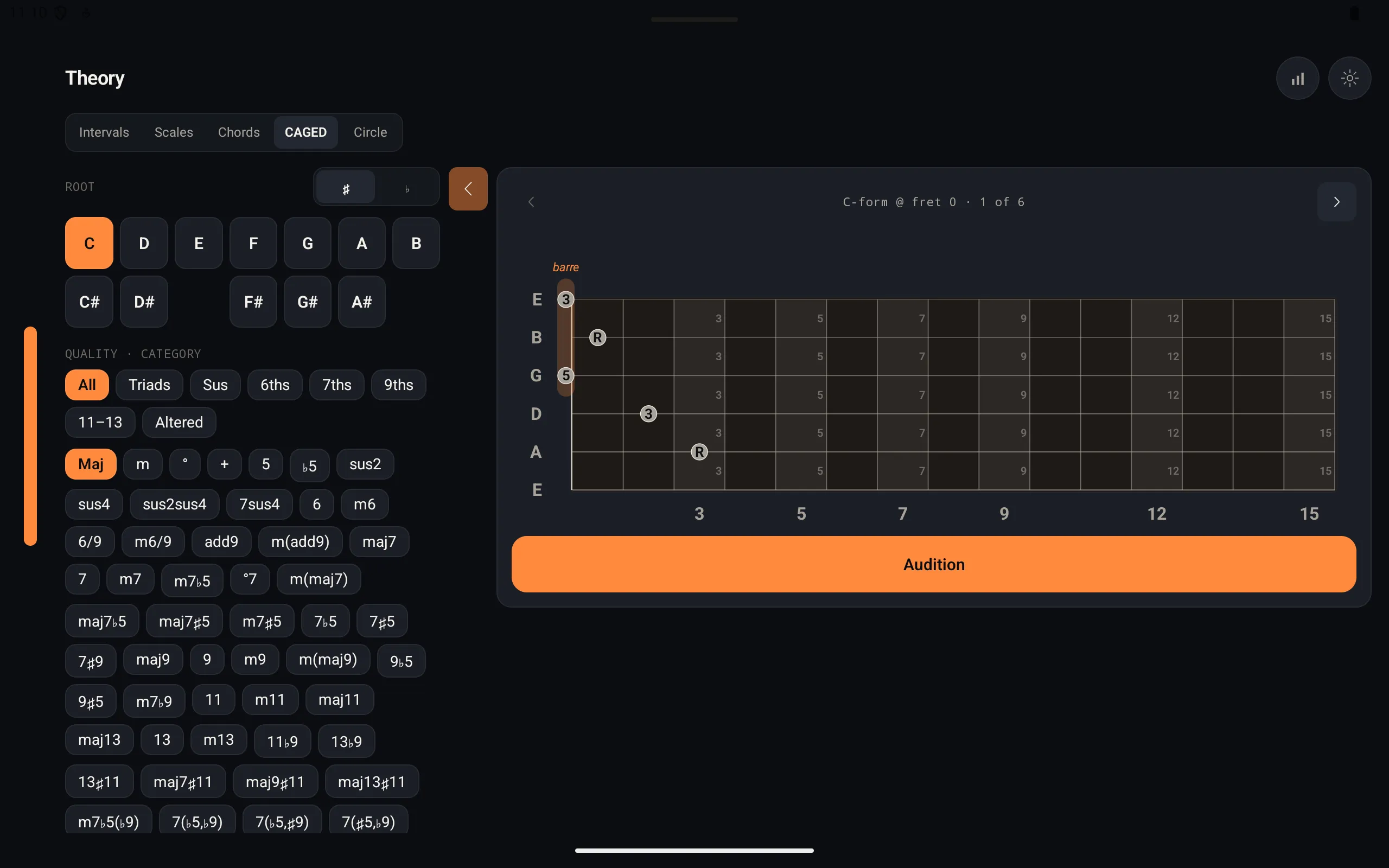
What you learn in Drills shows up in Jam. Theory plots chords and scales on the same neck.
More across the app
One local-first app for
the whole practice loop.
- Train what you miss
- Jam with fretboard guidance
- Study theory on the same neck map
- Use your own files, offline
- Track what needs work next
- Read it in your language, in your note names
- 01
Train
Ear, fretboard, and mic practice in short, repeatable sessions.
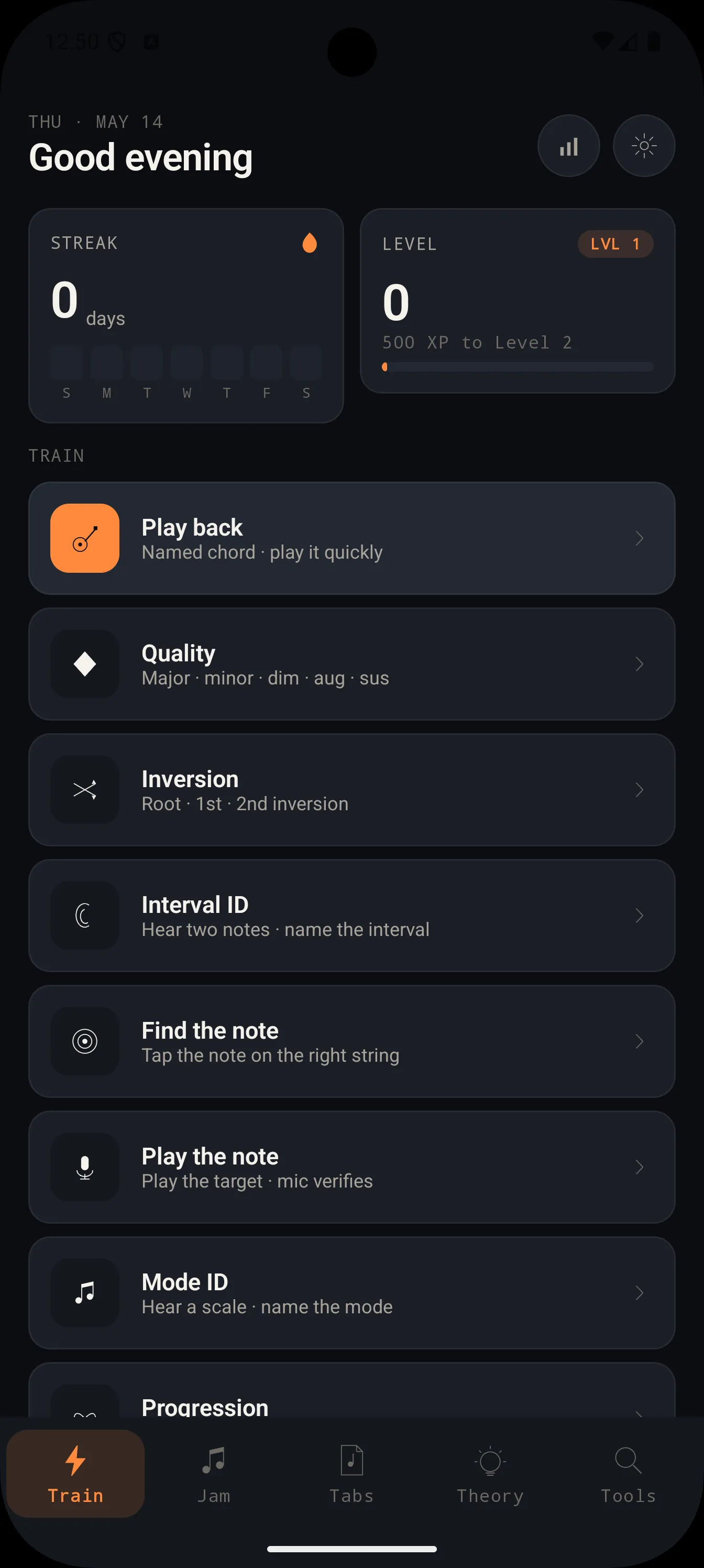
Train what you miss. Nine drill modes adapt to weak spots — root, chord quality, inversion, play-back, interval ID, progression, find the note, play the note, and mode ID. Stats track streaks, XP, accuracy, speed, top confusions, and practice mix so the next session starts where the last one got weak.
- 02
Jam
Generative backing tracks that show you exactly where to land.
Jam against real progressions, not loops. Fifty-plus span blues, jazz, rock, pop, funk, gospel, R&B, neo-soul, math rock, prog metal, metalcore, lo-fi, country, and folk. The Jam overlay marks chord tones in open, mid, and high positions while drums, bass, piano, and rhythm guitar follow the progression.
- 03
Theory
Theory that plays back and maps itself to your fretboard.
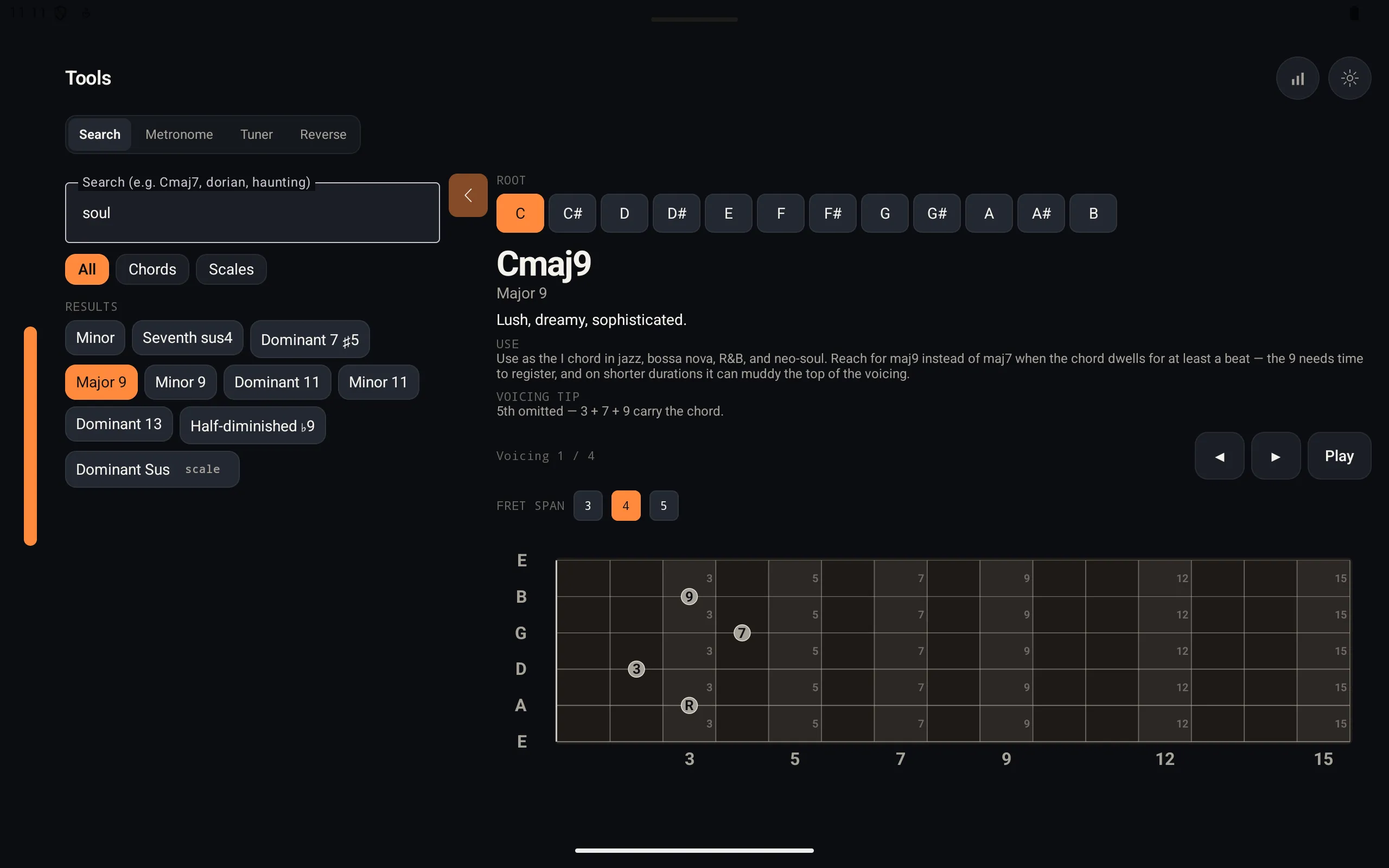
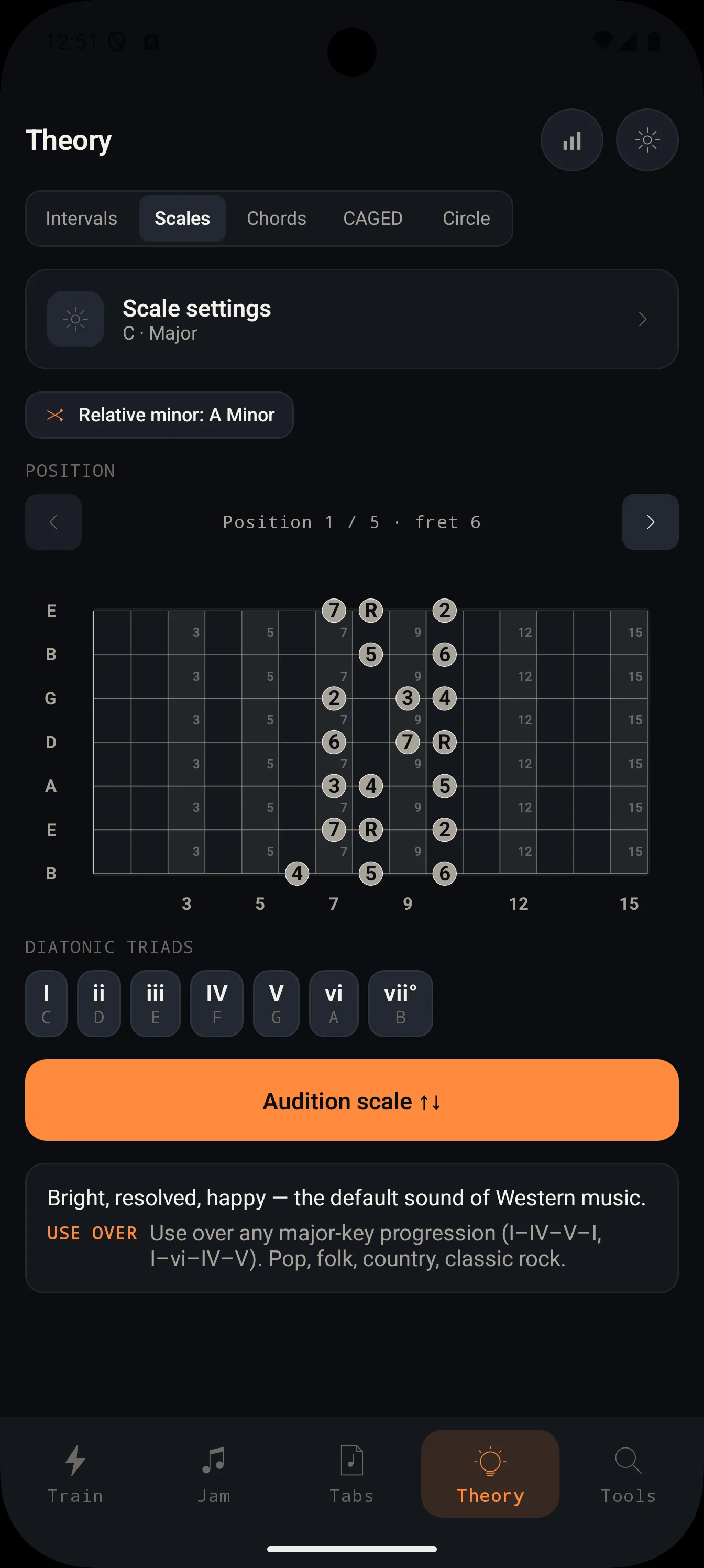
Look up the shape and hear it. Chords, CAGED shapes, intervals, scales, modes, and the Circle of Fifths are interactive references, not static charts. Search by name or color, audition the sound, and see usable shapes for the current instrument, string count, tuning, and handedness.
- 04
Tools + Stats
The daily utilities plus the practice record behind them.
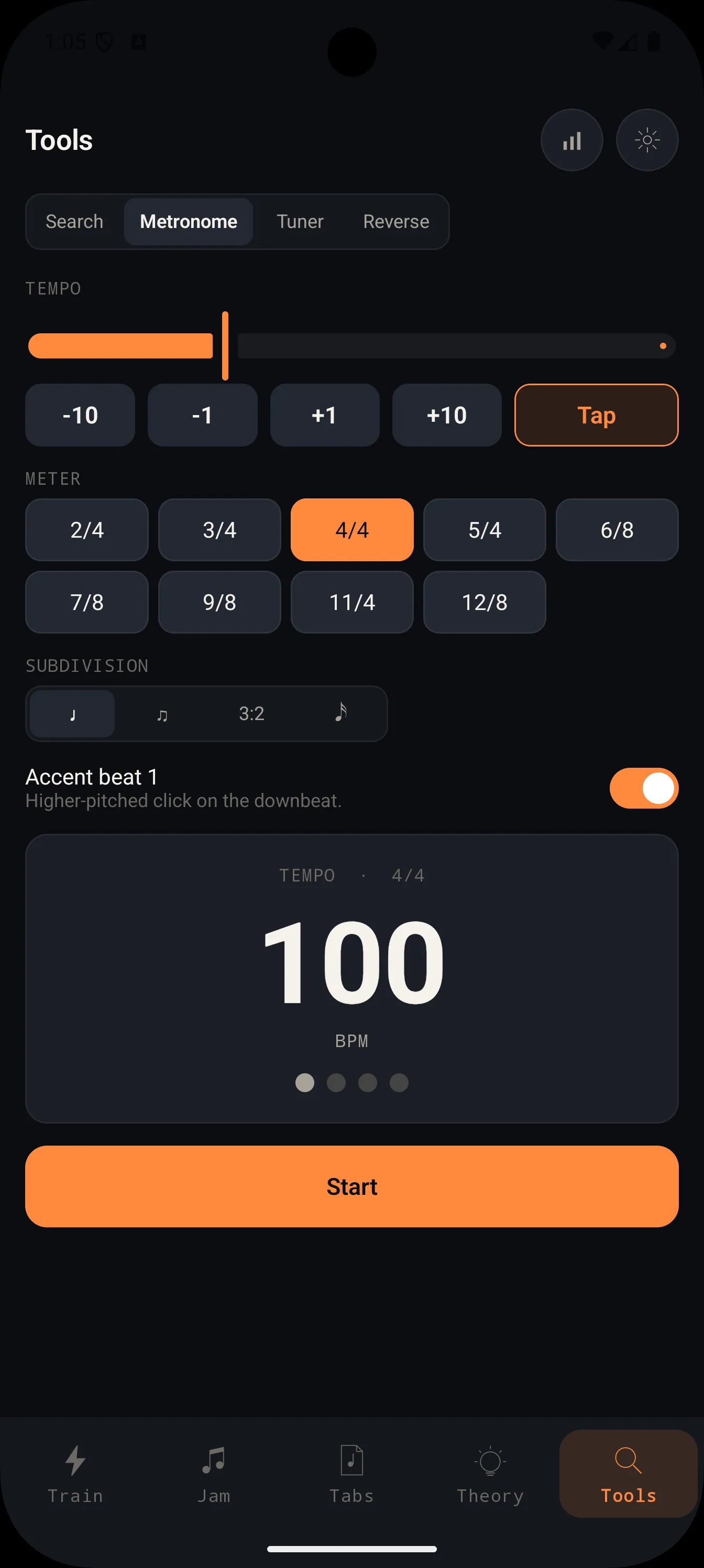
Tune up, count off, and see how the week went. Metronome, tuner, chord and scale search, reverse chord finder, and a Stats dashboard live beside the training flow. No telemetry leaves the device; the records are there for your practice, not for an ad profile.
- 05
Bring your own Tabs
A reader/playback engine for the Guitar Pro and PDF files you already have.
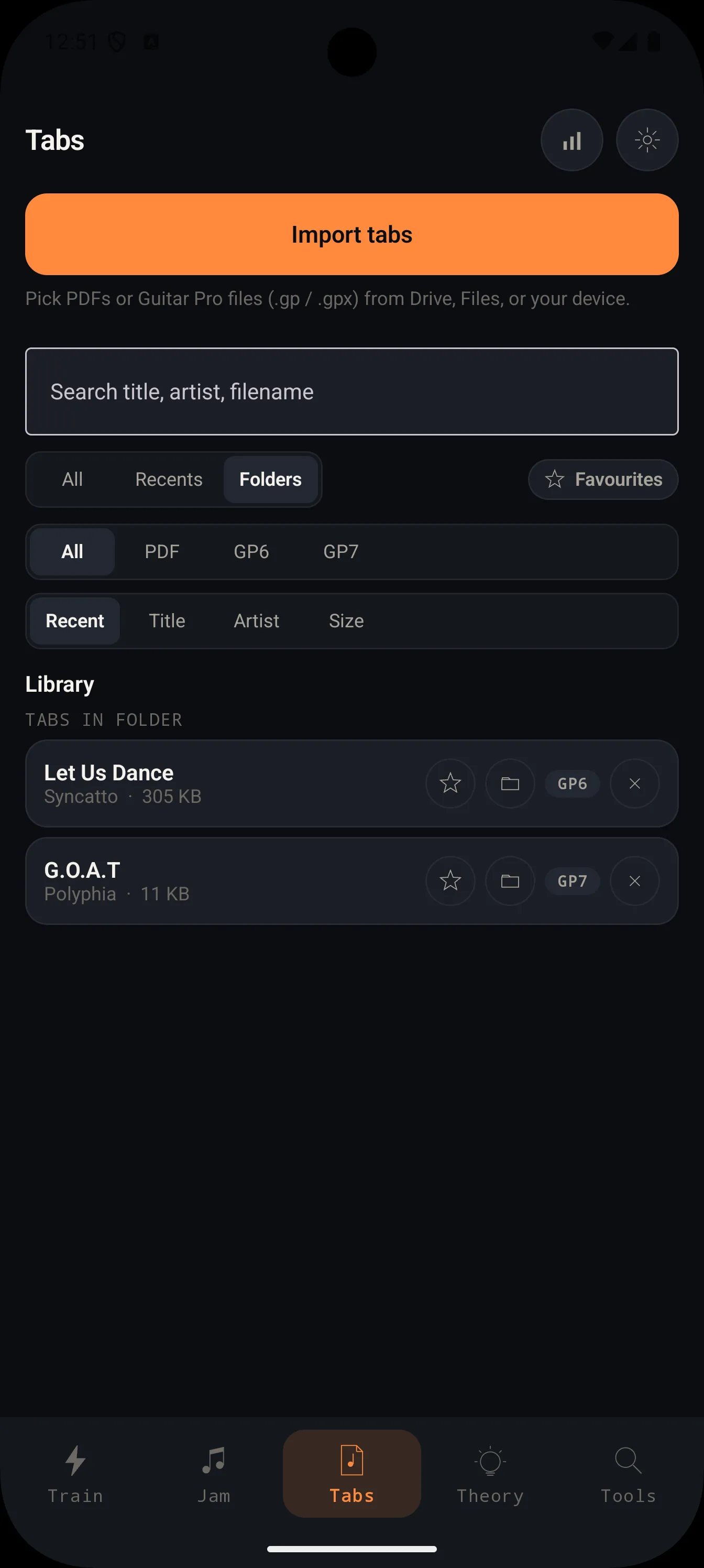
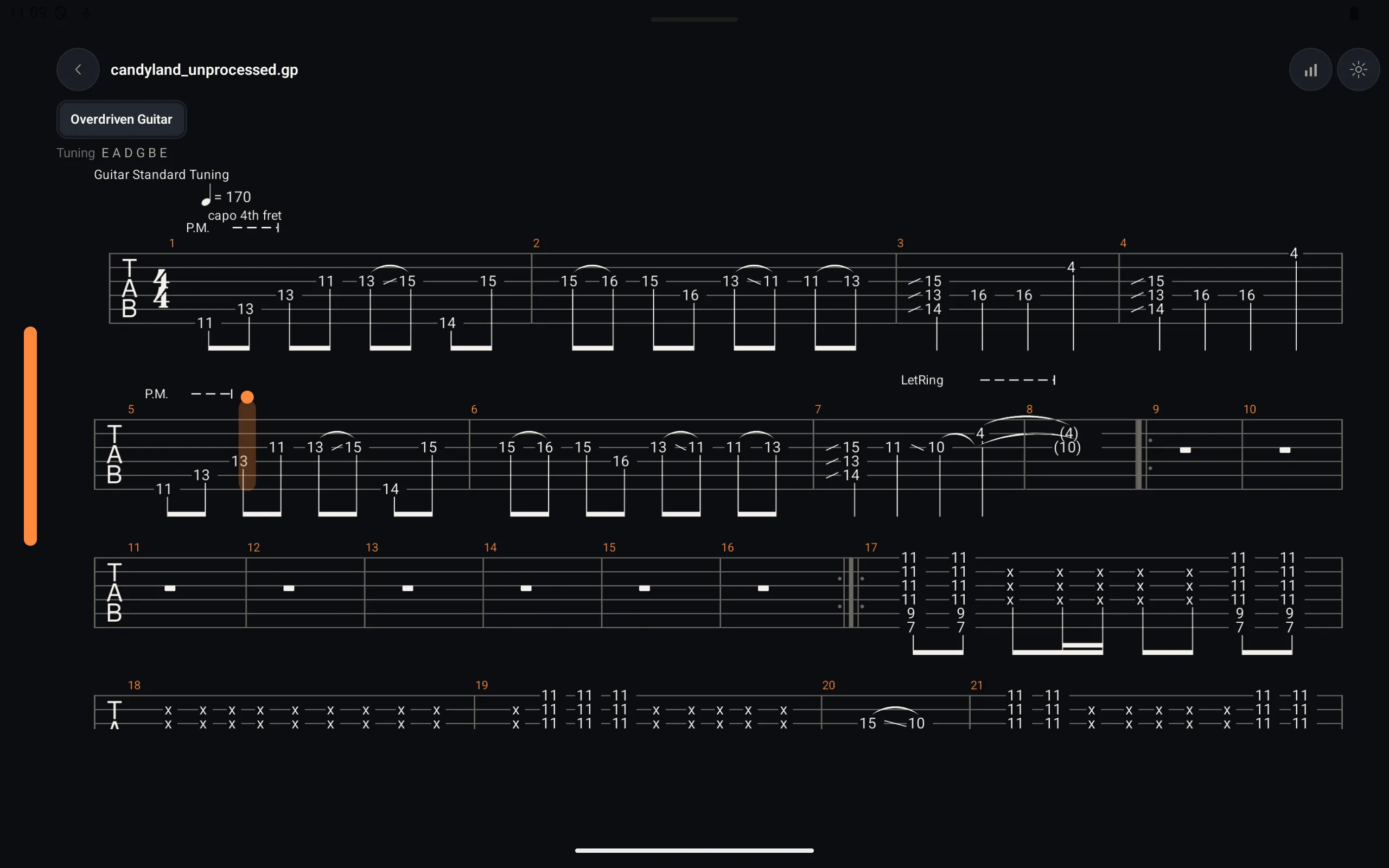
Use the files you already own. No included tabs, no licensed song catalog that vanishes when a license lapses, and no cloud locker. Import your own .gp, .gp3, .gp4, .gp5, .gpx, and PDF files from Files, Drive, or local storage; OmniFret organizes them on-device and plays Guitar Pro files with practice controls.
- 06
Localized
Nine languages, and the note-naming system your ear was trained on.
Ships in English, French, Spanish, Italian, German, Brazilian Portuguese, Japanese, Korean, and Simplified Chinese. Note names auto-default to the local convention — Solfège (Do Re Mi) in Romance-language locales, German (H ← B, B ← A♯/B♭) in German, Austrian, and Swiss German, letter names (A B C) everywhere else — and any of the three systems can be set manually, so the names on the fretboard are the ones you already think in.
An indie dev.
A guitar player.
Built primarily
for myself.
I built OmniFret because I couldn't find an ear-trainer and fretboard tool that wasn't a subscription, hadn't gone stale, or didn't try to upsell me at every turn. Now it exists — for me, and for you, if you want it.
Every dollar from your one-time unlock goes to support one person and the next round of updates. OmniFret is built for the player who already knows what to practice — intermediate-to-advanced guitarists and bassists tired of bouncing between a tuner, a metronome, a backing-track app, a theory app, and a tabs app.
Pay once. Support an indie dev. Get an app that keeps getting better because the person who built it practices with it every day.
— The maker
USD
$24.99
One time. Forever.
No subscription. No OmniFret account. No ads. Available now on Google Play and the App Store.
Get OmniFretFree
$0
- Root, Quality, Inversion, Interval ID, Progression, and Find-the-note drills
- Standard 6-string guitar and 4-string bass
- Triads, major / minor / pentatonic / blues scales, metronome, tuner
- Import your own PDFs and Guitar Pro files for offline reading/playback
PRO · Lifetime
+$24.99 once
Everything in Free, plus:
-
Mic-verified drills
Play the chord, play the single note, name the mode by ear — every mic-driven drill.
-
Full Jam mode
Genre depth (funk, neo-soul, lofi, metalcore, prog, gospel...), every time signature (3/4, 5/4, 6/8, 7/8, 12/8), mode overrides, and the generative engine's pedagogical + seed controls.
-
Guitar Pro practice transport
Slow the tempo down (or up), loop the tricky four bars on repeat, and balance the per-track mixer.
-
Full chord catalog
Sus / sus2sus4 / 7sus4, 6 / m6 / 6/9, plus the jazz set — maj7/9/13, dom7/9/11/13 (incl. ♭9/♯9/♭5/♯5 altered), min7/9/11/13, half-diminished, dim7, maj7♯11 Lydian colors, min(maj7).
-
All scales + modes
Beyond major / minor / pentatonics / blues — Dorian, Phrygian, Lydian, Mixolydian, Locrian, harmonic & melodic minor, plus exotic and bebop scales.
-
7- and 8-string guitars + 5-string bass
Plus the full tuning editor.
-
Custom tunings + voicings
Drop D, DADGAD, Open G, and string-skip voicings.
-
Reverse chord finder
Tap notes on the fretboard and we'll identify the chord — name, quality, and inversion.
Quick answers.
- Q · 01
Does it support bass?
- Yes. Standard 4-string bass is available on the free tier. PRO adds 5-string bass, extended-range guitar, custom tunings, and the same Jam overlay you get on guitar.
- Q · 02
Are tabs included?
- No included tabs. Bring your own Guitar Pro and PDF files. OmniFret is a reader/playback engine: it imports .gp, .gp3, .gp4, .gp5, .gpx, and PDF files from Files, Drive, or local storage, then keeps them offline on your device.
- Q · 03
Where should I keep my tab collection?
- A cloud drive — Google Drive on Android, iCloud on iOS. Both show up as sources in the system file picker, so OmniFret can pull a .gp, .gpx, or .pdf in with one tap and keep it on the device for offline reading. The benefit: your library survives a phone wipe, syncs across your other devices, and stays outside OmniFret's cloud-sync bundle — we deliberately don't include imported files because Guitar Pro collections can get large, and a cloud drive is the durable place to keep them.
- Q · 04
What do I do on day one if there's no song catalog?
- Most of the app needs nothing imported. Drills, Jam (with 50+ pre-built progressions), Theory, and the daily tools all work the moment you open the app. The Tabs section is the one place where you bring your own files (.gp / .pdf) — for everything else, day one looks the same as day one-hundred: open the app, pick a mode, play.
- Q · 05
Is it accessible if I'm colorblind?
- The Jam fretboard's OPEN / MID / HIGH zones ship with four palettes: a default red / blue / green, a deuteran-friendly Okabe-Ito set, a tritan-friendly vermillion / cyan / magenta set, and a luminance-only monochrome set. Pick the one that reads.
- Q · 06
Is it lefty-friendly?
- One toggle mirrors every fretboard in the app. Drills, the Jam overlay, and the chord/scale dictionaries all flip with it.
- Q · 07
Is OmniFret available in my language?
- Nine languages today: English, French, Spanish, Italian, German, Brazilian Portuguese, Japanese, Korean, and Simplified Chinese. Note-naming follows the local convention by default — Solfège (Do Re Mi) for the Romance languages, German (H ← B, B ← A♯/B♭) for German / Austrian / Swiss German, letters (A B C) everywhere else — and any of the three systems can be set manually in Settings, independent of the UI language.
- Q · 08
Is OmniFret for beginners or experienced players?
- Best fit: intermediate-to-advanced players tired of bouncing between a tuner, a metronome, a backing-track app, a theory app, and a tabs app. The free tier (six core drill modes — root, quality, inversion, interval ID, basic progression, find-the-note — both standard instruments, the foundational scales, the tuner, the metronome, and Guitar Pro / PDF playback) is also approachable for late beginners. If you're brand new and want guided song lessons, a structured course app is a better starting point — OmniFret assumes you know what to practice, even if you don't yet know how to.
- Q · 09
Is it a subscription?
- No. $24.99 one-time purchase, no recurring charge. If you ever reinstall or get a new phone, the platform store (Google Play or the App Store) restores the unlock, and — if you opted in to cloud sync — settings and stats restore from your own Google Drive (Android) or iCloud (iOS). Imported Guitar Pro and PDF files aren't included in the sync bundle because they can be large; re-import them from wherever you keep your files.
- Q · 10
Do I need to purchase for every device?
- No. The lifetime unlock is tied to the store account that bought it — Google Play on Android, the App Store on iOS — not to a specific phone or tablet. On a new device, sign in with that account, open OmniFret, and tap Restore purchases. The store verifies the account and the PRO entitlement is stored on that device. No separate OmniFret account, no password to remember.
- Q · 11
Does it work offline?
- Yes — every feature runs without a network. Drills, Theory, Jam, the metronome, tuner, stats, and imported-file playback are entirely on-device, with no first-party server in the path and no telemetry leaving the device. The one network-touching path is opt-in cloud sync (off by default): if you sign in from Settings → Sync, OmniFret uploads a small backup to your own Google Drive or iCloud so a new device can pick up your stats. Skip sign-in and the app is fully offline.
- Q · 12
How do I get the best mic input?
- Mic input works best when the device is near an acoustic instrument, or in front of a guitar amplifier set to a clean tone. If OmniFret is not registering what you play, move closer to the device or turn up the amplifier volume.
- Q · 13
What device works best?
- Tablet/iPad, ideally. Every screen has a multi-pane layout that opens up on iPad and Galaxy Tab-class viewports — Guitar Pro tab notation, the Jam fretboard, the chord and scale dictionaries, and the reverse chord finder all get the extra real estate they were designed for, side-by-side instead of stacked. Phones are fully supported (portrait collapses to a single pane; landscape uses a two-pane rail), but the density advantage really shows on a tablet, most of all when reading multi-track Guitar Pro files at full size.
- Q · 14
If I buy PRO on one platform, does it also unlock the other?
- No — at least not automatically. OmniFret keeps no first-party account and no server, which is the same design that keeps the app local-first. Optional Drive / iCloud sync uses your existing platform account, not an OmniFret-side identity, so there's still nothing linking your Google Play purchase to an App Store install or vice versa — the two stores treat them as separate transactions. If you want PRO on both an Android phone and an iPad, expect a second purchase per storefront. We're investigating whether RevenueCat can bridge entitlements across the two stores without adding an account layer; if a clean privacy-preserving path emerges, we'll ship it.
- Q · 15
How does the Jam backing-track engine work?
- Three layers. An L-system shapes the bar-level narrative — statements, variations, contrasts, turnarounds — so a 16-bar phrase has the shape of a real tune, not a one-bar loop. Variable-Order Markov Models then sample rhythm, velocity, and bass note-by-note on a 16th-note grid, conditioned on the chord, the groove, and what just came before. A constraint validator re-rolls any candidate that breaks the music-theoretic rules baked into that genre's profile. Pin the seed and the same take comes out every time.